Loading...
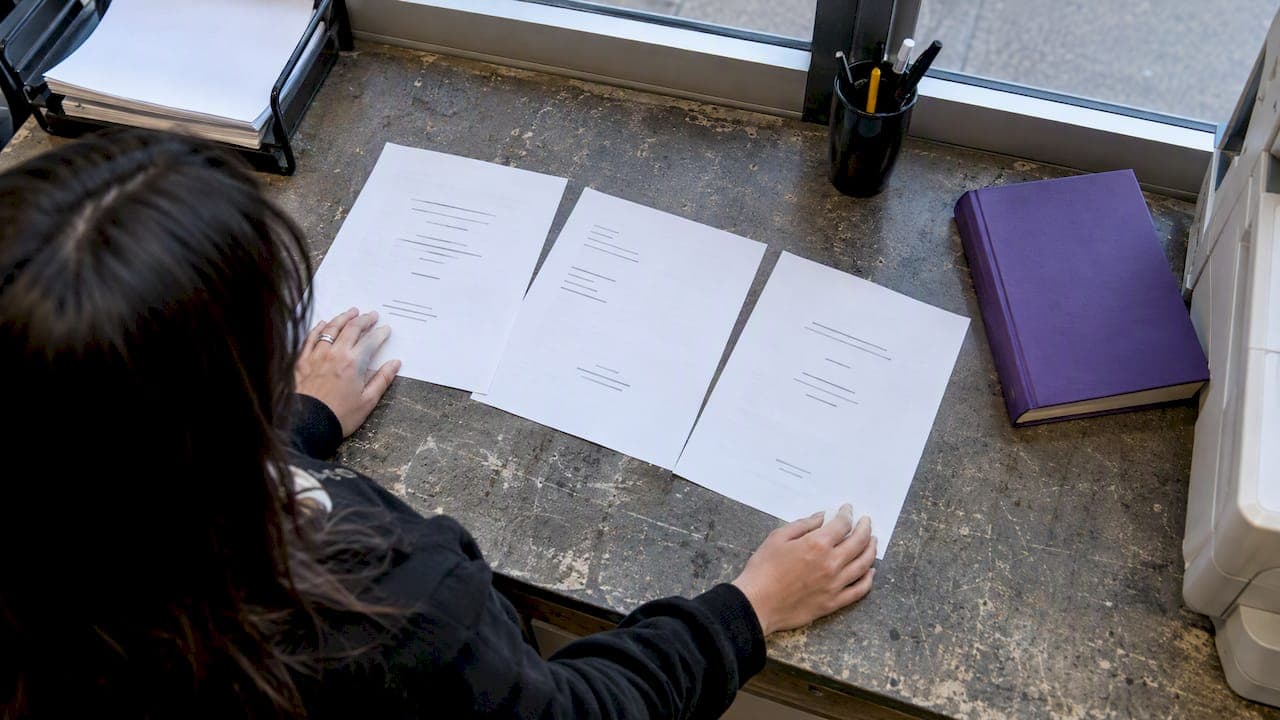
A correct term-paper title page gives the paper title and identification details, author, affiliation, course, instructor, and due date, arranged and formatted to match the required style. Use a separate title page for APA or Chicago when your instructor asks for one, and use MLA's first-page heading unless told otherwise. When general style rules and instructor directions disagree, the instructor wins.
TL;DR:
- Most instructors expect the paper title, author, affiliation, course details, instructor name, and due date to be formatted according to specific style guidelines.
- APA style requires a separate, centered title page with elements in a fixed order and bolded title, using 12-point Times New Roman, double spacing, and automatic page numbering.
- MLA generally does not use a separate title page but includes the heading information flush left on the first page, with the title centered, unless a custom cover page is requested.
- Chicago and Turabian styles typically use a dedicated title page with centered elements, sometimes omitting the page number on the title page, following institution-specific templates.
- Checking syllabus and assignment instructions first ensures correct fields; adding unnecessary information like student IDs or character counts can cause confusion rather than showing effort.
Before picking a format, confirm you have the raw material. Most instructors expect the same handful of facts, just arranged differently depending on style.
Place each element centered on its own line, double spaced, within 1 inch margins and a readable font. Add extras like a student ID, program name, or a signed declaration only if the assignment sheet explicitly asks for them, as these are local requirements and not universal style rules.
APA's student title page guide lays out a fixed order of elements, and APA's own paper format guidance stresses that consistent formatting exists so readers focus on your argument, not your layout choices. Student papers skip the running head that professional manuscripts use, which simplifies the header considerably.
In Word or Google Docs, use the header tool to insert the page number automatically rather than typing it, since manual numbers shift when you edit the text. Apply bold only to the title, never to your name or course details.
Pro Tip: Copy your course number and your instructor's exact title straight from the syllabus. A mismatched course code or a misspelled instructor name is a small error that still costs points.
MLA's default skips a separate title page entirely. The MLA Style Center's formatting guide shows your name, instructor, course, and date stacked flush left at the top of page one, with the title centered on the next line, not bolded, and not in all capital letters. Our guide to the MLA running header covers the header mechanics in more depth.
MLA treats the first-page heading as the norm, not a shortcut, so a separate title page is only an addition when asked for, never an automatic upgrade.
Chicago and Turabian formatting typically calls for a dedicated title page, and university guidance, including Fuller Library's FAQ page, describes a consistent pattern even though exact fields vary by school.
Keep the layout plain. A Chicago title page is meant to match the restraint of the rest of the paper, not stand out from it.
Style manuals cover the general case, but plenty of instructors and departments layer on their own requirements. Fuller Library's guidance notes that institution-specific pages sometimes ask for a student number, program name, semester, or a word or character count, and these are local rules, not universal style, so they will not appear in any APA or MLA manual.
Adding fields nobody asked for, like a character count or a declaration statement, can create confusion rather than showing extra effort.
Run through margins, font, size, spacing, and the header page number before you consider a title page finished. Then paste in whichever template matches your assigned style and replace the placeholders.
APA student title page template:
MLA first-page template (used only if a separate cover page is requested):
Both templates work in Word and Google Docs once you add a 1-inch margin, a 12-point readable font, double spacing, and an automatic page number in the header.
Formatting details are easy to get right in theory and easy to fumble under deadline pressure. Samwell builds APA and MLA formatting into its research paper tools, so course numbers, instructor names, and due dates land in the right spot without you re-checking a manual line by line. Citation builders and editing tools can catch small inconsistencies, a missing affiliation line, or a title formatting issue before they turn into lost points.
None of that replaces your syllabus. A generic template, automated or not, still needs to bend to whatever your instructor or institution specifically asks for.
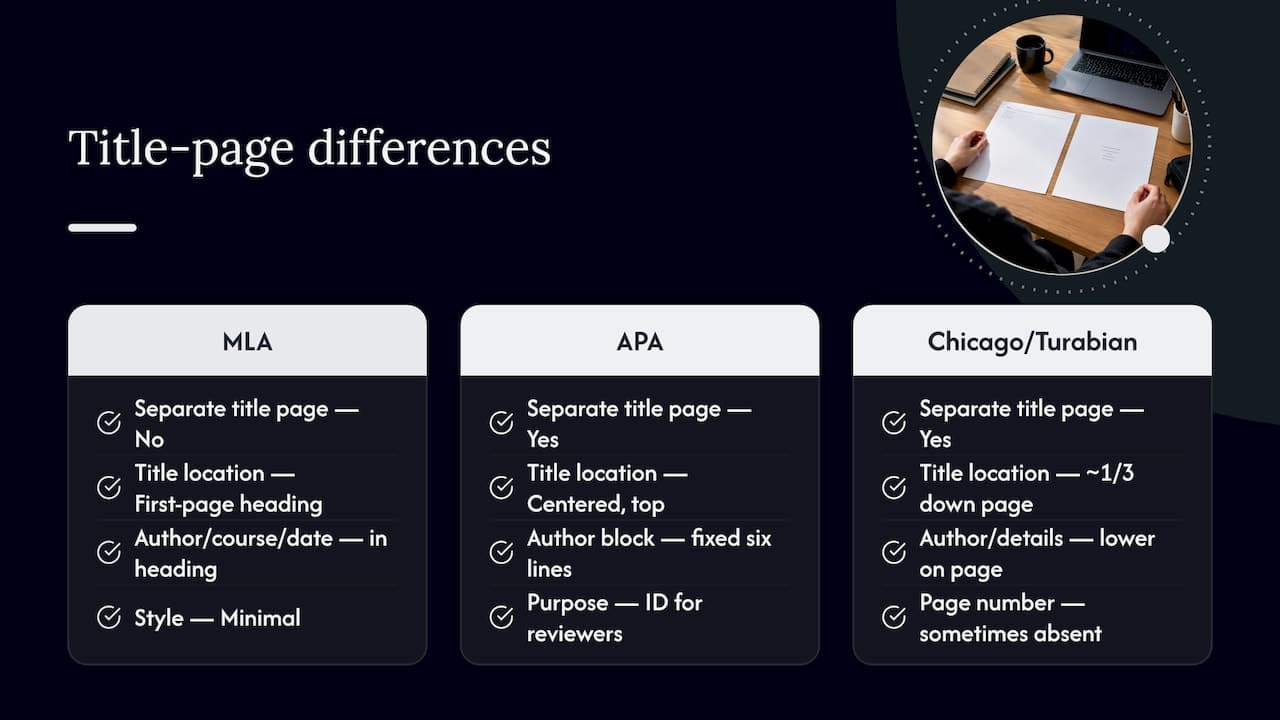
Humanities papers, especially in MLA, tend to skip a separate title page altogether, trusting the first-page heading to carry name, course, and date alongside the title. The assumption is that the words matter more than the packaging, so the format stays minimal by design.
Science and social science papers lean the other way. APA, the style most common in psychology, education, and related fields, requires a dedicated student title page with a fixed order: bold centered title, author, affiliation, course, instructor, and date, each on its own line. The structure exists partly because empirical papers often move through multiple reviewers or committee members who need to identify the work at a glance.
Chicago and Turabian, used across history and some social sciences, split the difference. A separate title page is standard, but the layout is sparser: a centered title roughly a third of the way down, author and course details lower on the page, sometimes without a page number on that first sheet.
None of these differences reflect one field valuing presentation more than another. They reflect different editorial traditions, and the practical lesson is the same regardless of discipline: identify which style your course falls under before you format anything, because a biology paper formatted like an English essay, or the reverse, reads as a missed instruction rather than a style choice.
Most title-page errors are small, mechanical, and avoidable with one careful read-through before submission.
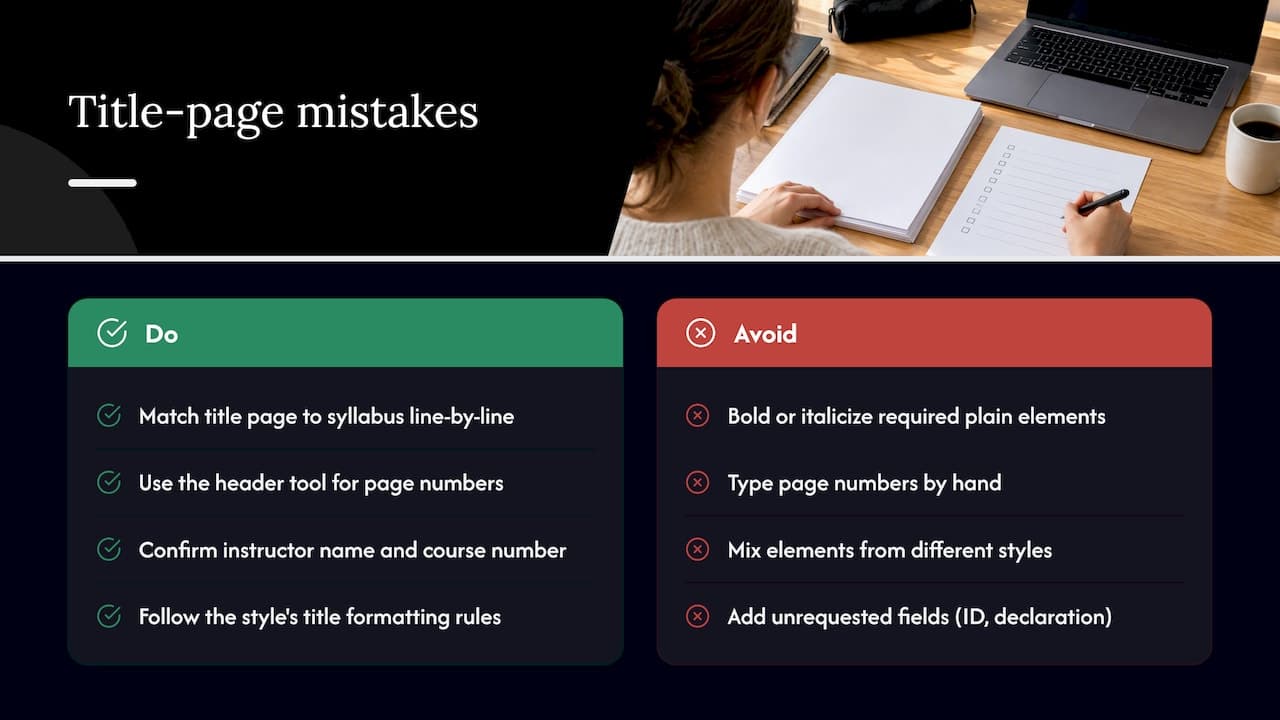
A frequent one is bolding or italicizing elements that APA leaves plain, author name, affiliation, course details, when only the title itself takes bold formatting. Another is typing page numbers by hand instead of using the header tool, which breaks the moment you add or delete a paragraph elsewhere in the paper.
Students also mix styles without noticing: an MLA heading dressed up with a bolded, all-caps title borrowed from APA habits, or a Chicago title page missing the lower third of author information because the student copied an APA layout instead. Misspelling the instructor's name or pulling the wrong course number from an old syllabus is common enough to be worth a direct check against the current assignment sheet.
Adding fields nobody requested, a declaration of originality, a character count, a student ID, can look like extra effort but often signals the opposite: that the student did not confirm what the assignment actually calls for. The safest habit is matching the title page's requirements line by line against the syllabus or assignment instructions right before you submit, rather than trusting memory from a previous class.
An APA student title page example centers a bolded, title-case title about a third of the way down a double-spaced page, followed by the author's name, the department and university on one line, the course number and name, the instructor's name, and the due date, each on its own centered line, with a plain automatic page number in the upper-right header starting at 1.
An MLA example looks different because it is not really a separate page at all: the top of the actual essay page carries the student's name, instructor's name, course, and date stacked flush left, followed by the centered title in regular (not bold) type, directly above the first paragraph of text.
A Chicago or Turabian example centers the title around one-third down a standalone page, skips the bold formatting APA requires, and places the author's name and course information lower on that same page, sometimes without any page number showing until the text itself begins.
Seeing these side by side makes the underlying logic clearer: every version carries the same core facts, title, author, course, date, just positioned and styled according to a different manual's rules.
A title page is identification, not decoration. Its job is to let an instructor, and sometimes a grading assistant or committee, tell at a glance whose paper this is, which course and section it belongs to, and when it was due, without hunting through the body text.
That identification function matters more than it looks. A missing or incorrect instructor name on a shared course with multiple sections can send a paper to the wrong grader. A wrong due date, or no date at all, removes the one piece of evidence that confirms a paper was submitted on time. APA's paper format guidance frames consistent formatting as a way to keep attention on the content rather than the presentation, and a title page is where that principle starts, since it is the first thing a reader sees before judging anything you actually wrote.
The title page also sets an expectation. A clean, correctly formatted page signals that the rest of the paper will follow the same conventions, while a sloppy or improvised one raises doubt before the first paragraph of the argument even begins.
Check your syllabus first, every time, before you format anything. Paste the matching template (APA, MLA, or Chicago) and replace each placeholder exactly as written there, no guessing at course codes or instructor titles. Use your word processor's automatic page numbering instead of typing numbers by hand, and save your finished template so the next paper takes five minutes instead of thirty.
— Tilen
Formatting a title page correctly takes minutes once you have the right template, but getting the citation style consistent across an entire paper is where most students lose time. Samwell builds APA and MLA formatting, along with a citation builder and the Power Editor, directly into its research paper and literature review tools, so the course details, instructor name, and due date you put on page one match the formatting running through the rest of the document. Start with the Free Plan to generate a formatted draft, or check the Academic Plan if you need extended features for a longer paper.
Pick the required style first: APA and Chicago typically use a separate title page, while MLA defaults to a first-page heading instead. Then center your title, author, course, instructor, and date on their own double-spaced lines, and add an automatic page number in the header.
A typical APA student title page shows a bolded, centered title in title case a few lines down from the top, followed by the author's name, affiliation, course, instructor, and due date on separate centered lines, per the APA student title page guide. A Chicago version centers the title about a third of the way down, with author and course details lower on the page.
Write the paper's title, your name, your affiliation (department and university or school), the course number and name, your instructor's name, and the due date. Some instructors add fields like a student ID or program name, so always check the assignment sheet before finalizing.
A title page is a standalone page at the start of an academic paper that identifies the work: its title, author, course, instructor, and date. Styles like APA and Chicago commonly require one for student papers, while MLA usually replaces it with a first-page heading unless an instructor requests otherwise.